Tax-Ready Reports
Schedule E in one click. Tax season in 5 minutes.
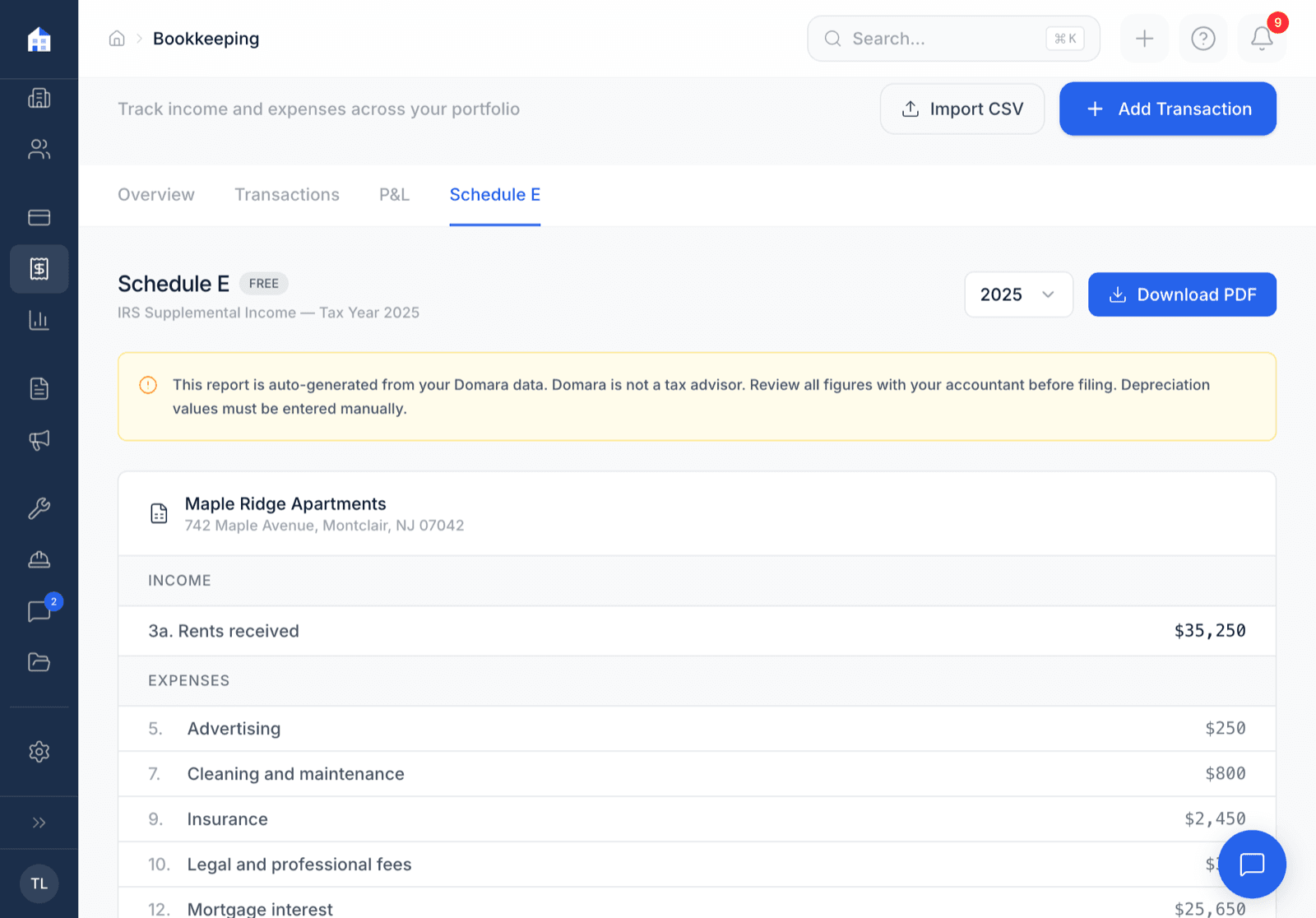
Domara tracks your income and expenses by property all year. When tax season hits, generate a Schedule E report — one page per property, income on top, expenses by IRS line item below, net rental income at the bottom. Download the PDF and hand it to your accountant.
How it works
Three steps. That's it.
Track income & expenses all year
Rent payments and expenses are tracked automatically as you use Domara.
Click "Generate Schedule E"
Pick the tax year and property. Domara generates the report in seconds.
Download and hand it to your CPA
One PDF per property. IRS line items, income, expenses, net rental income. Done.
What you get
Everything included. No add-ons. No upgrade walls.
One-click Schedule E PDF
Generate a complete Schedule E report for any tax year with one click.
One page per property
Each property gets its own page. Multi-property landlords get a clean report.
Income auto-calculated
Rent payments received are totaled automatically. No manual adding.
Expenses by IRS line item
Expenses map to lines 5-19 on Schedule E. Your CPA will thank you.
Net rental income
Income minus expenses = net rental income. The number your CPA needs.
Year selector
Current year plus two prior years available. Great for amended returns.
Works great with
Domara isn't a point solution. It's a platform.
Track Expenses
Every dollar, every property, every category — ready for tax season.
AI Receipt Scanner
Snap a photo. AI pulls the vendor, amount, date, and category.
Collect Rent
ACH or card. Autopay or one-time. No more checks in the mail.
Try Tax-Ready Reports free for 7 days
No credit card required. Set up in under 5 minutes. Cancel anytime.
Start Your Free Trial$10/mo after trial. Everything included. No per-unit fees.