Track Expenses
Every dollar, every property, every category — ready for tax season.
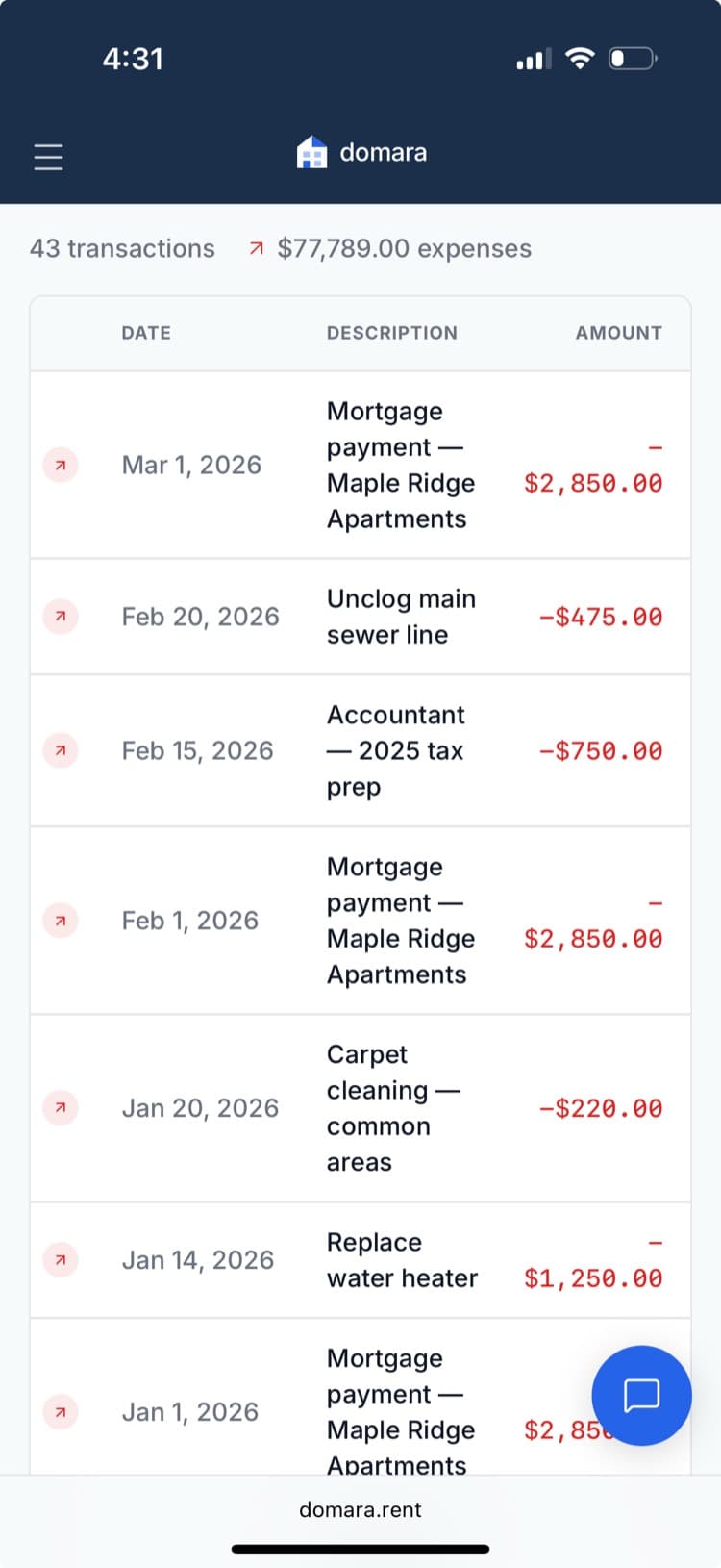
Log every expense by property and IRS Schedule E category. Upload receipts. When tax season comes, you've got a clean record — no shoebox of receipts, no weekend with a spreadsheet.
How it works
Three steps. That's it.
Log the expense
Enter the amount, date, vendor, and what it was for. Or let AI scan a receipt.
Assign property & category
Pick the property and an IRS Schedule E category. It takes two clicks.
Export at tax time
One-click Schedule E report or CSV export. Hand it to your accountant.
What you get
Everything included. No add-ons. No upgrade walls.
IRS Schedule E categories
Every expense category maps to a Schedule E line item. Tax-ready from day one.
Per-property tracking
Each expense is tied to a specific property. Essential for multi-property tax filing.
Receipt uploads
Attach receipt photos or PDFs to any expense for your records.
Date & vendor tracking
When you paid, who you paid, and what for. Clean records.
Category totals & reports
See your spending by category, property, or time period.
CSV export
Export everything to CSV for your accountant or tax software.
Works great with
Domara isn't a point solution. It's a platform.
AI Receipt Scanner
Snap a photo. AI pulls the vendor, amount, date, and category.
Tax-Ready Reports
Schedule E in one click. Tax season in 5 minutes.
Document Storage
Leases, receipts, insurance, notices — organized and always accessible.
Try Track Expenses free for 7 days
No credit card required. Set up in under 5 minutes. Cancel anytime.
Start Your Free Trial$10/mo after trial. Everything included. No per-unit fees.